01
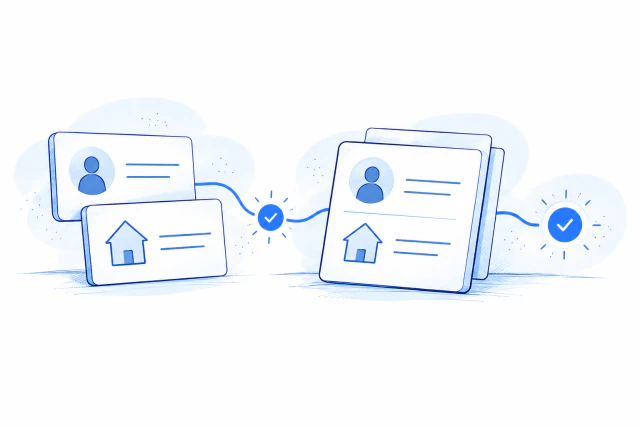
Start with name and address
Check the details already supplied at checkout or signup.
Illustrative example
Checkout detailsOrder #2214
Full nameJordan Avery
Shipping address218 Elm Street, Apt 4B
City, state & ZIPAustin, TX 78701
Age verification
Name + addressReceived
Age requirement21+
Age resultChecking
–
Order receivedThe order stays on hold.
Checkout detailsOrder #2214
Full nameJordan Avery
Shipping address218 Elm Street, Apt 4B
City, state & ZIPAustin, TX 78701
Age verification
Name + addressLooking up
Age requirement21+
Age resultChecking
–
Checking the recordThe order stays on hold.
Checkout detailsOrder #2214
Full nameJordan Avery
Shipping address218 Elm Street, Apt 4B
City, state & ZIPAustin, TX 78701
Age verification
Name + addressMatched
Age requirement21+
Age resultRequirement met
✓
Ready for fulfillmentAge result saved to order #2214.
Start with the information already entered
Use the customer’s name and address. UK checks also require date of birth. Standardized address details are available in the response.
Get an age decision, not just a record match
Check your requested threshold before granting access. Return the age result without date of birth when it is not needed. A missing record is not an underage result.
02
Choose which orders need a check
Use Shopify rules, tags, and customer approvals to fit verification into your store.
Illustrative example
Your store rulesShopify
Check orders containingRestricted products
Required age21+
Other ordersSkip verification
Order #2214
ProductRestricted product
Rule resultCheck required
FulfillmentOn hold
Shopify tagage verification required
!
Hold for verificationWait for the age result.
Your store rulesShopify
Check orders containingRestricted products
Required age21+
Other ordersSkip verification
Order #2215
ProductUnrestricted product
Rule resultCheck not required
FulfillmentCan proceed
Shopify tagage verification not required
–
Skip verificationNo age check is recorded for this order.
Your store rulesShopify
Check orders containingRestricted products
Required age21+
Other ordersSkip verification
Order #2214
ProductRestricted product
Rule resultAge confirmed
FulfillmentCan proceed
Shopify tagage verified
✓
Ready for fulfillmentThe customer meets the 21+ requirement.
Check the orders that need it
Apply your configured store rules and skip orders that do not require verification. Merchant Pass can recognize customers you have already verified when enabled.
Keep the result visible in Shopify
Order tags distinguish verified, required, skipped, failed, and shipping-blocked outcomes. Unverified orders can carry a high-risk flag. Configure cancellation, refund, and restocking actions separately.
03
See every order from the admin side
Follow recent orders, open the record, and see what needs attention.
Illustrative example
BlueCheck · OrdersExample records
Recent orders
#2214Jordan Avery
Verified
#2213Casey Morgan
Needs verification
#2212Taylor Brooks
Skipped
#2214Jordan Avery
MethodName & address
Age result21+ met
Updated14:02:11
Shopify tagage verified
Verification activity
Record lookupCompleted
Age decision21+ confirmed
✓
Ready for fulfillmentAge requirement met.
BlueCheck · OrdersExample records
Recent orders
#2214Jordan Avery
Verified
#2213Casey Morgan
Needs verification
#2212Taylor Brooks
Skipped
#2213Casey Morgan
MethodName & address
Age resultNot confirmed
Updated13:58:40
Shopify tagage verification required
Verification activity
Record lookupCompleted
Age decisionMore information needed
!
Action neededOffer another supported check.
BlueCheck · OrdersExample records
Recent orders
#2214Jordan Avery
Verified
#2213Casey Morgan
Needs verification
#2212Taylor Brooks
Skipped
#2212Taylor Brooks
MethodStore rule
Age resultNot checked
Updated13:51:22
Shopify tagage verification not required
–
Verification not requiredSkipped by a store rule.
Trace the result back to the check
Review the method, timestamp, and order reference. Verification activity exposes the request status and response fields so your team can distinguish a successful request from an age approval.
Know which records need attention
Keep verified, unresolved, and skipped orders distinct. Offer last-four SSN, mobile phone, or Photo ID when needed; a shipping restriction is not a failed age check.
Use it where customers sign up or check out
Connect a store integration, or use the API in your own platform.
What merchants say
Merchant reviews describe their experience with BlueCheck; they do not independently establish the match-rate claim.
Questions about name and address checks
What information is required?
U.S. name-and-address checks use the customer’s name and address. UK checks also require date of birth. Consult the method reference for current coverage and required fields.
What does the 96%+ figure mean?
This is the name-and-address match-rate claim supplied by BlueCheck. It is not a guarantee for every audience or a claim that every matched record meets the required age. Match rates vary by population, location, and input quality.
Can I skip orders or approve existing customers?
Your Shopify rules determine which orders need verification. Skipped orders are tagged as not requiring verification. Merchant Pass, when enabled, lets you approve customers you have already verified; it does not perform a fresh record check.
What happens to unresolved or failed orders?
An unresolved record can use another supported method: last-four SSN, mobile phone, or Photo ID. Shopify settings can separately cancel, refund, and restock failed orders. A region-based shipping block is not the same as a failed age check.
Can I keep date of birth out of the response?
Yes. Use the documented exclude option to return the age-requirement result without the birth date. This controls returned fields, not the underlying data-retention policy.
Can I use this for checkout and account signup?
Use a supported ecommerce integration for orders, or connect the API to your website’s account and access flow. Apply the returned result before granting restricted access.
Inputs, coverage, and complete API reference →
Get startedAdd name and address checks to your website.
Contact Us